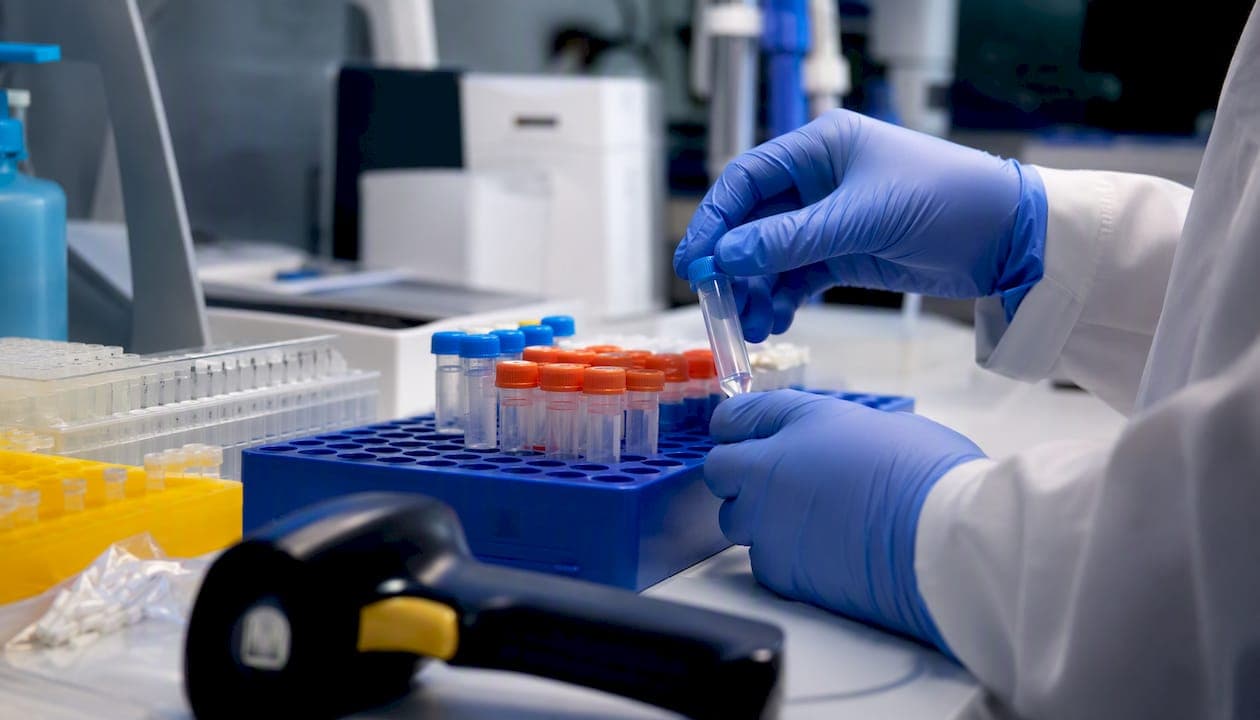
A laboratory information management system (LIMS) is software that tracks samples from intake to result, enforces workflow steps, and creates an auditable record of everything that happens in between. For genetic, molecular, and pharmacogenomics labs, that means no more spreadsheet-based chain of custody, no more disconnected instrument exports, and no more scrambling to reconstruct who approved what before an inspection.
The labs that benefit most from a well-implemented LIMS are those running high sample volumes with strict traceability requirements: PGx labs, molecular diagnostic labs, reference labs, and hospital genetics programs. If your lab is responsible for throughput, traceability, and regulatory readiness, this guide is written for you.
What a LIMS delivers from day one:
- Complete sample tracking with unique identifiers and chain-of-custody documentation
- Data integrity through structured, tamper-evident audit trails
- Workflow automation that reduces manual handoffs and transcription errors
- Regulatory readiness aligned with HIPAA, CLIA, and 21 CFR Part 11 requirements
Table of Contents
- What does LIMS software actually do in your lab?
- What core features should you expect from a modern LIMS?
- Cloud, on-premise, or hybrid: which deployment model fits your lab?
- How to choose a LIMS: evaluation checklist and red flags
- Special considerations for genetic, molecular, and PGx labs
- How Labrynix fits genetic and molecular lab needs
- Key Takeaways
- The part of LIMS selection most guides skip
- Labrynix: built for genetic and molecular labs that are done patching together workarounds
- Useful sources and further reading
What does LIMS software actually do in your lab?
The Wikipedia overview of laboratory information management systems describes LIMS as covering sample reception, assignment and scheduling, processing and QC, data storage, and reporting and approval. That's accurate, but it undersells how central the sample record is to everything else.
Every action in a LIMS traces back to a sample. When a specimen arrives, the system assigns a unique identifier, often a barcode or accession number, and that ID follows the sample through every downstream step. Tests are ordered against that sample record. Results attach to those tests. If a sample is split into aliquots, the child samples inherit a parentage relationship to the original, so you can always reconstruct the lineage. The LIME database documentation illustrates this well: its SAMPLE, TEST, and RESULT tables enforce strict parent-child constraints, and some systems prevent row-level editing of results to preserve provenance once data is committed.
Common LIMS modules and what they handle:
- Accessioning: Registers incoming samples, assigns IDs, captures collection metadata, and flags missing or non-conforming specimens before they enter the workflow
- Sample management: Tracks location, status, and custody at every stage, including freezer position and storage temperature
- Instrument integration: Pulls result files directly from analyzers, sequencers, and PCR platforms, eliminating manual transcription
- Workflow queues: Routes samples to the right bench or technician based on test type, priority, or protocol
- Results management: Captures, validates, and stores test results with reference ranges and flags
- Reporting: Generates structured reports for providers, patients, or regulatory submissions
- Audit trail: Records every create, read, update, and delete event with a timestamp and user ID
Where does LIMS sit relative to other systems? It is not an electronic lab notebook (ELN), though many labs run both. The ELN captures experimental observations and methods; the LIMS manages the operational record. It is also not an EHR or EMR, though it needs to exchange data with those systems via HL7 or FHIR. For a deeper look at those integration points, the LIMS vs EHR comparison for healthcare lab managers covers the practical handoff points between the two.
Numbered steps: how a sample moves through a LIMS
- Order received (electronic, paper, or HL7 message) and entered into the system
- Sample accessioned, ID assigned, and pre-analytical checks completed
- Tests ordered against the sample record; workflow queue updated
- Sample routed to instrument or bench; results captured automatically or manually
- Results reviewed, validated, and approved by authorized staff
- Report generated and delivered to provider or patient portal
- Audit trail closed; sample archived or disposed per retention policy
Pro Tip: Before you evaluate any LIMS vendor, map your current workflow on paper first. Knowing exactly where samples hand off between people, instruments, and systems will cut your demo evaluation time in half and expose integration gaps the vendor might not volunteer.
What core features should you expect from a modern LIMS?
Feature lists from vendors tend to look identical. The differences show up in how deeply each capability is implemented and whether it was built for labs like yours. Here is what to evaluate, and why each feature matters operationally.
- Audit trails: Every system event, user action, and data change must be logged with a timestamp and user ID. This is a hard requirement under 21 CFR Part 11 for electronic records and electronic signatures in FDA-regulated labs.
A note on 21 CFR Part 11 readiness: The FDA's electronic records regulation requires that any system used to create, modify, maintain, or transmit electronic records in a regulated environment must support audit trails, access controls, and electronic signature controls. When evaluating vendors, ask specifically for their validation documentation package, including installation qualification (IQ), operational qualification (OQ), and performance qualification (PQ) artifacts. A vendor who cannot produce these is a vendor who has not done this work.
Advanced capabilities for genetic and molecular labs go beyond the standard feature set. PGx reporting templates with CPIC guideline support, variant annotation connectors, VCF and FASTA file handling, bioinformatics pipeline integration, and secure patient and provider portals are not standard in every LIMS. They are table stakes for a precision medicine lab.
Cloud, on-premise, or hybrid: which deployment model fits your lab?
The deployment decision shapes your validation timeline, IT burden, capital expenditure, and data residency posture. Here is how the three models compare for labs at different scales.
| Dimension | Cloud (SaaS) | On-Premise | Hybrid |
|---|---|---|---|
| Uptime / availability | Vendor-managed SLA, typically high | Depends on internal IT | Mixed; cloud components have SLA coverage |
| Maintenance burden | Vendor handles updates and patches | Internal IT owns all maintenance | Shared; on-prem components require internal support |
| Validation effort | Vendor provides validation artifacts; lab validates configuration | Full IQ/OQ/PQ responsibility on lab | Varies by component; more complex to document |
| Scalability | Elastic; scales with subscription | Requires hardware investment | Moderate; cloud tier scales, on-prem does not |
| Capital vs operating expense | Operating expense (subscription) | High upfront capital; lower ongoing | Mixed model |
| Data residency / HIPAA | Confirm BAA, data center location, and encryption standards | Full control; lab owns data residency | Requires clear data flow documentation |
| Typical fit | Small to mid-size labs, startups, multi-site networks | Enterprise labs with strict data sovereignty requirements | Large labs with legacy systems and cloud migration plans |
Realistic timeline expectations:
Cloud deployments typically move fastest: procurement to go-live in 8–16 weeks for a configured SaaS platform, assuming data migration is not complex. On-premise deployments add hardware procurement, network configuration, and a more extensive validation cycle, pushing timelines to 6–12 months for a full enterprise rollout. Hybrid implementations sit in between, but the complexity of documenting data flows across environments often extends the validation phase.
For HIPAA compliance, any cloud vendor handling protected health information (PHI) must sign a Business Associate Agreement (BAA) and demonstrate encryption at rest and in transit. For 21 CFR Part 11, confirm that the vendor's validation package covers your specific configuration, not just the base product. The LIMS compliance guide covers these validation requirements in detail for U.S. labs.
How to choose a LIMS: evaluation checklist and red flags
The fastest way to narrow a vendor list is needs mapping first, then demo validation. Before you watch a single demo, document your workflows, instrument list, throughput volumes, regulatory obligations, and integration requirements. Vendors who cannot address your specific instruments and compliance posture in the first conversation are not worth a second one.
Numbered evaluation checklist:
- Map your current workflows end-to-end, including every instrument, every handoff, and every report type your lab produces
- Define your regulatory requirements: CLIA certification, HIPAA, 21 CFR Part 11, CAP accreditation, or state-specific rules
- List every instrument that needs to connect to the LIMS and confirm the vendor supports those interfaces (see the instrument interface setup guide for what to test)
- Assess your data migration scope: how many historical sample records, result files, and patient records need to move, and in what format
- Evaluate the vendor's validation support: do they provide IQ/OQ/PQ documentation, or do they expect your team to generate it?
- Review security controls: encryption standards, RBAC configuration, audit log retention, and BAA availability
- Test the reporting module with your actual report templates, not the vendor's demo data
- Confirm training and support SLAs: what is the response time for critical issues, and what onboarding resources are included?
Key questions to ask vendors:
- What instrument drivers do you support natively, and how are new integrations added?
- How do you handle data migration from our current system, and do you provide a dry-run preview before committing?
- What validation artifacts do you provide, and are they configuration-specific or generic?
- What is your uptime SLA, and what is the remediation process when it is breached?
- How is role-based access configured, and can permissions be scoped to individual test types or sample categories?
- How is PHI encrypted at rest and in transit, and where are your data centers located?
Red flags to watch for:
- No dry-run migration option before committing legacy data to the new system
- Opaque or bundled pricing with no line-item breakdown by module
- Audit logs that cannot be exported or that have configurable retention periods shorter than your regulatory requirements
- Validation documentation that is generic rather than configuration-specific
- No named support contact or escalation path for critical production issues
Rough cost and timeline buckets vary widely by lab size and scope. Small labs and startup operations typically see lower entry points with cloud SaaS platforms, with implementation timelines in the 8–16 week range. Core facilities and mid-size reference labs add integration complexity and validation work, extending timelines to 4–6 months. Enterprise reference labs with multi-site deployments, complex instrument ecosystems, and large historical data sets should plan for 6–12 months and budget accordingly for data migration labor.
Data migration deserves its own budget line. The OpenLIMS migration toolkit demonstrates the industry-standard approach: CSV field mapping, dry-run preview, iterative validation, and confirmed import. Mature LIMS implementations require careful mapping of sample parentage relationships, because tests and results are tied to sample records and some systems prevent post-hoc editing once data is committed. Skipping the dry-run step is the single most common cause of migration failures.
Pro Tip: Request a data migration dry run as a contractual deliverable, not a courtesy. If a vendor resists, that tells you everything about how they handle implementation risk.
For test code governance during configuration, the LIMS test code management guide covers the operational decisions that trip up most new implementations.
Special considerations for genetic, molecular, and PGx labs
Standard LIMS features cover most of what any lab needs. Genetic and molecular labs need more, and the gaps are not always obvious until you are mid-implementation.
Unique requirements for genetic and molecular workflows:
- Variant annotation support: — Linking variants to clinical significance databases and generating provider-facing interpretations requires either native annotation tools or tight integration with external annotation services
Data security for genomic data goes beyond standard HIPAA controls. Genomic data is uniquely re-identifiable, which means encryption at rest and in transit is a baseline, not a differentiator. Role scoping should limit who can view raw sequence data versus interpreted results. Long-term storage policies need to account for the fact that genomic data may remain clinically relevant for decades, and your LIMS database architecture should support retention periods that match your lab's obligations. For practical guidance on managing patient data within a LIMS, the patient data management guide covers access controls and data governance in detail.
Three use cases that illustrate the gap between general LIMS and molecular-specific platforms:
A PGx reporting lab needs CPIC-aligned interpretation rules, customizable report templates with branded provider summaries, and a patient portal for result delivery. A general LIMS with a PDF export module will not cover this without significant custom development.
A high-throughput sequencing reference lab needs batch management for hundreds of samples per run, automated VCF ingestion from sequencing instruments, and bioinformatics pipeline connectors. Storage management for long-read sequencing files alone requires a LIMS database architecture that most clinical LIS platforms were not designed to handle.
A hereditary cancer testing program needs both the clinical patient-centric reporting of a LIS and the sample-centric batch tracking of a LIMS, plus secure provider communication and result acknowledgment workflows. Hybrid platforms or purpose-built molecular LIMS solutions are the practical answer here.
For a deeper look at what molecular diagnostic labs specifically require from a LIMS, the molecular diagnostic LIMS guide covers the feature requirements in detail.
Pro Tip: When evaluating vendors for a PGx or sequencing lab, ask them to demonstrate a live VCF import and a PGx report generation from real (de-identified) data. A vendor who can only show you a demo environment with pre-loaded data has not solved the hard part yet.
How Labrynix fits genetic and molecular lab needs
Labrynix is a purpose-built platform for genetic testing, molecular diagnostics, and pharmacogenomics labs, combining LIMS workflow management, PGx reporting, provider and patient portals, HL7/FHIR/API integrations, billing visibility, and AI-powered operational analytics in one connected system. It was built by a team with direct genetic and molecular laboratory experience, which shapes how the platform handles the workflows that trip up general-purpose LIMS implementations.
The Labrynix solutions page outlines the full module set by lab type. The functional coverage for genetic and molecular labs includes:
| Capability | Labrynix feature | Operational benefit |
|---|---|---|
| Sample tracking and accessioning | LIMS workflow management with unique IDs, custody chain, and status queues | Full traceability from order intake to result delivery |
| PGx report generation | Customizable templates with CPIC, PharmGKB, and FDA labeling support | Branded, provider-ready reports with AI-assisted summaries |
| Integrations | HL7, FHIR, APIs, webhooks, EMR/EHR, billing platforms, lab instruments | Eliminates manual data entry between systems |
| Provider and patient access | Secure branded portals with role-scoped access and result delivery | Reduces provider phone calls and patient result delays |
| Billing visibility | Claim stage tracking, invoice workflows, and revenue handoffs | Connects lab operations to billing without a separate system |
| Compliance posture | HIPAA-conscious design, audit logs, RBAC, configurable permissions | Supports regulatory readiness without custom development |
| AI-powered insights | Bottleneck detection, review queue management, operational analytics | Gives lab managers visibility into throughput and workflow health |
Security and compliance posture: Labrynix is built with HIPAA-conscious and GDPR-conscious workflow principles, including role-based access, audit logs, secure report delivery, and configurable permissions. The platform is designed to support labs pursuing 21 CFR Part 11-aligned electronic records practices. Each laboratory remains responsible for its own clinical validation, report approval, and regulatory compliance, and Labrynix provides the infrastructure to support that work rather than replace it.
Labs that find the strongest fit with Labrynix include PGx labs that need branded report generation with CPIC and PharmGKB support, molecular diagnostic labs running high-throughput sequencing workflows, startup labs that need a full operating system without building one from scratch, reference labs managing multi-location sample tracking and provider communication, and hospital genetics programs that need both LIMS-style sample management and LIS-style patient reporting.
On implementation and training: The CDC's introductory LIMS course provides a solid baseline for staff who are new to LIMS concepts. Labrynix supplements this with platform-specific onboarding, documentation, and support resources. Labs evaluating Labrynix can request a demo or download the buyer's guide to assess fit before committing to a procurement conversation.
[Content team note: Insert Tarek's author bio, any available case studies, and certification or accreditation documentation in this section before publication.]
Key Takeaways
A well-chosen LIMS is the operational backbone of any genetic or molecular lab: it enforces traceability, protects data integrity, and gives lab managers the workflow visibility they need to scale without adding headcount.
| Point | Details |
|---|---|
| LIMS vs LIS distinction | LIMS is sample-centric for batch and reference workflows; LIS is patient-centric for clinical settings; most genetic labs need both. |
| Core compliance requirements | Audit trails, RBAC, and vendor-provided validation artifacts (IQ/OQ/PQ) are non-negotiable for HIPAA, CLIA, and 21 CFR Part 11 readiness. |
| Data migration risk | Always require a dry-run migration preview before committing legacy data; skipping this step is the most common cause of implementation failures. |
| Molecular-specific gaps | VCF ingestion, PGx rule sets (CPIC, PharmGKB), and secure portal delivery are not standard in general-purpose LIMS platforms. |
| Labrynix fit | Labrynix combines LIMS workflow management, PGx reporting, HL7/FHIR integrations, and AI-powered analytics in one platform built for genetic and molecular labs. |
The part of LIMS selection most guides skip
Most LIMS buying guides focus on features. The harder problem is organizational fit, and it is where implementations actually fail.
The labs that struggle most with LIMS adoption are not the ones that picked the wrong feature set. They are the ones that underestimated how much their existing workflows would need to change to match the system's logic. A LIMS enforces process. If your current process is informal, inconsistent, or undocumented, the LIMS will expose that immediately, and your team will experience it as the software being difficult rather than the workflow being broken.
The second underestimated factor is data migration. Every lab manager I have spoken with who went through a LIMS transition describes the same experience: the migration took twice as long as planned and surfaced data quality problems that nobody knew existed. The dry-run approach, mapping CSV exports, previewing the import, validating against expected outputs before committing, is not just a technical best practice. It is the only honest way to find out what your historical data actually looks like before it is too late to fix it.
For genetic and molecular labs specifically, the reporting module deserves more scrutiny than it typically gets during evaluation. PGx reports are clinical documents. They carry your lab's name, your medical director's signature, and your interpretation of a patient's pharmacogenomic profile. A generic PDF export from a general-purpose LIMS is not the same as a purpose-built reporting engine with CPIC guideline support and configurable interpretation rules. The gap between those two things is the gap between a lab that looks like it belongs in precision medicine and one that does not.
Labrynix: built for genetic and molecular labs that are done patching together workarounds
If your lab is running PGx reporting out of a Word template, tracking samples in a spreadsheet, and emailing results to providers, you already know the cost of that approach in staff time, error risk, and provider experience. Labrynix replaces that stack with a single platform built specifically for genetic testing, molecular diagnostics, and pharmacogenomics workflows.
The platform covers the complete sample-to-report workflow: LIMS-based sample tracking and accessioning, branded PGx report generation with CPIC and PharmGKB support, HL7/FHIR/API integrations with EHRs and billing platforms, secure provider and patient portals, billing workflow visibility, and AI-powered operational analytics. Labs working with EIV Diagnostics for digital pathology services can connect those workflows directly through Labrynix's integration layer.
Labrynix is built with HIPAA-conscious design principles and supports 21 CFR Part 11-aligned electronic records practices. The team provides onboarding support, validation documentation guidance, and migration assistance to help labs go live without the typical implementation surprises.
The right next step depends on where you are in the process. If you are early in evaluation, the Labrynix buyer's guide gives you a structured framework for comparing platforms and preparing for vendor conversations. If you are ready to see the platform against your specific workflows, request a demo directly through the Labrynix solutions page.
Useful sources and further reading
- Laboratory information management system
- LIME: Database Tables (LIMS Database Tables)
- Mokey2002/OpenLIMS
- Introduction to Laboratory Information Management System (LIMS) & Other Information Systems
- oig.hhs.gov
- LIMS Solutions by Lab Type — Genetic & Molecular Labs
- Genetic Lab Software Buyer's Guide | Labrynix