
Mapping spreadsheet fields to a purpose-built LIMS is the step that transforms raw, unstructured lab data into compliant, traceable records. The industry term for this process is LIMS data field integration, though lab teams often call it custom LIMS spreadsheet mapping in practice. Done correctly, it reduces manual entry errors, enforces mandatory metadata, and positions your lab for regulatory audits under frameworks like ISO 15189 and CLIA. Spreadsheets lack mandatory metadata enforcement critical for regulated labs, which means every unmapped or loosely mapped field is a compliance gap waiting to surface. Labrynix is built specifically for genetic and molecular testing labs that need this process done right the first time.
What do you need before mapping spreadsheet fields to a purpose-built LIMS?
Preparation determines whether your mapping project succeeds or stalls. Labs consistently underestimate how scattered their data actually is, and a thorough audit before you write a single mapping rule saves weeks of rework.
Start with these prerequisites:
- Full data audit. Audit all data sources thoroughly, including hidden files, personal folders, and legacy instrument exports. Teams routinely discover data living in locations no one officially tracks.
- Inventory of formats. Catalog every spreadsheet format in use: CSV, XLSX, tab-delimited, and any instrument-specific export formats. Each format may require a separate mapping rule.
- LIMS import template review. Obtain the LIMS import template or API schema before you begin. Mapping to a template you have not reviewed produces field mismatches on day one.
- Mandatory metadata identification. List every field your lab must capture for compliance, including sample ID, collection date, ordering provider, test code, and specimen type. These fields are non-negotiable in the mapping document.
- Formal mapping document. Create a spreadsheet that aligns each legacy field name to its corresponding LIMS field, data type, and validation rule. This document becomes the single source of truth for your entire project.
| Legacy spreadsheet field | Target LIMS field | Data type | Validation rule |
|---|---|---|---|
| Patient Name | patient_full_name | Text | Required, max 100 chars |
| Collection Date | specimen_collection_date | Date | MM/DD/YYYY, not future |
| Test Ordered | test_code | Text | Must match test code list |
| Accession # | accession_number | Text | Required, unique |
| Result Value | result_numeric | Numeric | Within reference range |
Pro Tip: Before finalizing your field inventory, run a pivot table on each spreadsheet to surface every unique value in key columns. Unexpected entries like "N/A," blank cells, or free-text where a code is expected will break your import if you do not catch them here.

How do you map spreadsheet fields to a purpose-built LIMS step by step?
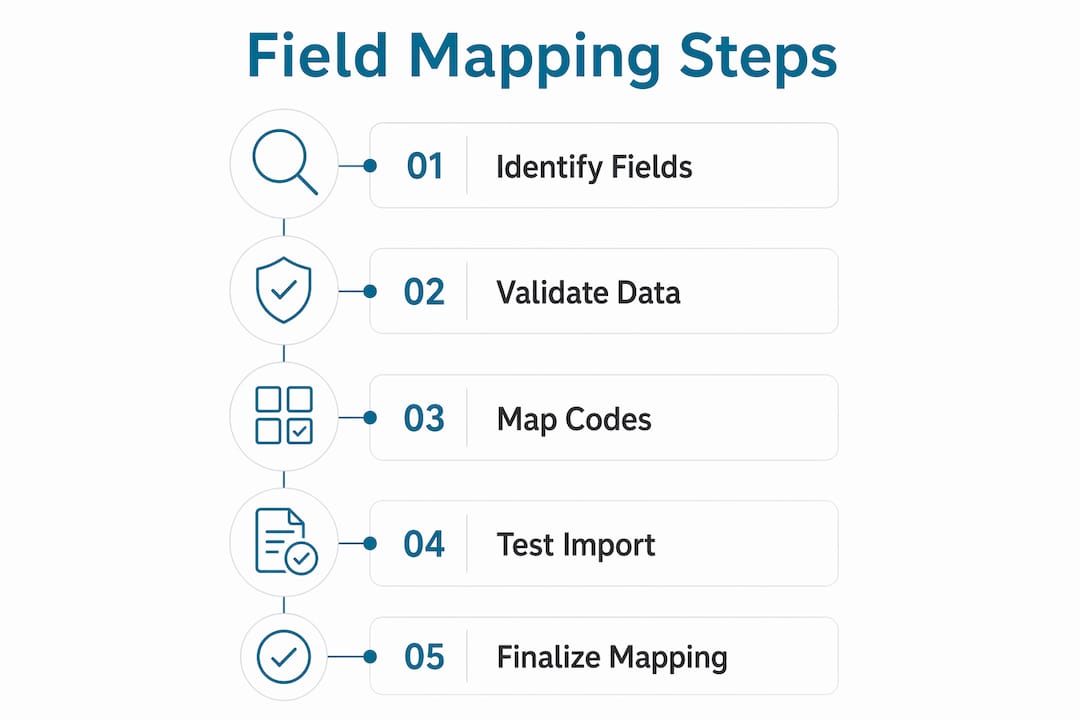
A 5-step mapping methodology covers the full process from export documentation through ongoing validation. Each step builds on the last, so skipping ahead creates gaps that are expensive to fix post-import.
-
Document your export formats. Export a sample dataset from each spreadsheet source. Note the column headers, data types, date formats, and any calculated fields. Calculated fields rarely transfer cleanly and usually need to be replaced with static values before import.
-
Build the mapping spreadsheet. Create a row for every legacy field. Columns should include the legacy field name, the target LIMS field name, the required data type, the transformation rule (for example, converting "M/F" to "Male/Female"), and the mandatory flag. A formal mapping document verified against LIMS requirements is what your vendor or IT team uses to configure the import.
-
Validate data fields before import. Clean your source data against the mapping rules. Replace invalid date formats, standardize text case, and remove duplicate accession numbers. Selective migration of essential fields reduces implementation time and system load. Archive historical data that has no active clinical or compliance value rather than importing it wholesale.
-
Link audit trails. Confirm that every imported record will carry a creation timestamp, a source identifier, and a user attribution field. Purpose-built LIMS platforms enforce these automatically. Generic spreadsheet workflows do not, which is why LIMS enforce required fields in ways spreadsheets never can.
-
Perform incremental testing. Import a small batch first, typically 50–100 records, and verify every field in the LIMS against the source spreadsheet. Check for truncated text, misformatted dates, and missing required values before running the full import.
Pro Tip: Map your test codes to your LIMS test code library before importing any result data. A single mismatched test code causes the entire result record to fail validation, not just the code field.
For labs managing genetic data migration, the field mapping step is where variant nomenclature, gene panel identifiers, and PGx phenotype codes require extra attention. These fields have controlled vocabularies that must match exactly.
What are the most common LIMS field mapping challenges?
Field mapping projects fail at predictable points. Knowing where they break lets you build safeguards before the import runs.
- Inconsistent data formats. Date fields stored as text, numeric result fields containing "pending" or "QNS," and accession numbers with mixed formatting all cause import failures. Standardize these in the source file, not in the LIMS.
- Missing mandatory fields. If your mapping document marks a field as required but the source spreadsheet has blanks, the import will reject those records. Decide in advance whether to block the record, substitute a default value, or flag it for manual review.
- Legacy data without curation. Migrating every row from a five-year-old spreadsheet without reviewing it first is the single most common mistake in LIMS field mapping projects. Labs typically move to LIMS after one to two years of volume growth, which means the legacy spreadsheet often contains years of inconsistent entries.
- Instrument export format mismatches. Instrument data exports use proprietary column names and units that rarely match LIMS field names directly. Build a separate mapping layer for each instrument type rather than forcing instrument exports through the same template as manual spreadsheets.
- Audit trail gaps. Importing records without source attribution or timestamps creates records that cannot be traced back to their origin. This is a direct compliance risk under ISO 15189 and CAP accreditation standards.
Automated field mapping and instrument integration reduce manual data entry time by up to 80% compared to spreadsheet workflows. That reduction is only achievable when the mapping is accurate from the start. A poorly mapped import that requires manual correction after the fact eliminates most of that efficiency gain.
Pro Tip: Run a data validation check on numeric result fields using range rules before import. Values outside the physiologically plausible range for a given test are almost always data entry errors in the source spreadsheet, not real results.
For labs dealing with LIMS instrument interface connections, the mapping layer between instrument output and LIMS fields is a separate configuration step that requires its own validation protocol.
Best practices for long-term LIMS field mapping success
Getting the initial import right is only part of the work. Labs that maintain clean data over time treat field mapping as an ongoing process, not a one-time project.
- Version-control your mapping document. Every time a field definition changes, a new test code is added, or an instrument is replaced, update the mapping document and save a dated version. This record protects you during audits and vendor support calls.
- Schedule periodic import testing. Run test imports on a quarterly basis using a sample of recent data. This catches configuration drift before it affects production records.
- Archive, do not delete, obsolete fields. When a legacy field is no longer in active use, archive it rather than removing it from the mapping document. Archived fields preserve the historical record without cluttering active workflows.
- Involve IT, lab management, and your LIMS vendor together. Field mapping decisions affect compliance, reporting, and system performance simultaneously. No single team has full visibility into all three.
- Use LIMS metadata enforcement as a quality gate. Purpose-built LIMS platforms like Labrynix enforce mandatory fields at the point of data entry, not after the fact. This prevents the blank-field problem from recurring after migration.
| Best practice | Why it matters |
|---|---|
| Version-controlled mapping document | Provides audit trail for field definition changes over time |
| Quarterly import testing | Catches configuration drift before it affects live records |
| Archive obsolete fields | Preserves historical data without degrading active workflow performance |
| Cross-team collaboration | Aligns compliance, IT, and operational requirements in one decision |
| LIMS metadata enforcement | Blocks incomplete records at entry, not during post-import cleanup |
Pro Tip: Link your mapping document to your LIMS compliance documentation. When an auditor asks how a specific field is defined and validated, you can point to a single, version-controlled document rather than reconstructing the answer from memory.
Key Takeaways
Accurate LIMS data field integration requires a formal mapping document, selective data migration, and mandatory metadata enforcement to protect compliance and data integrity in genetic and molecular labs.
| Point | Details |
|---|---|
| Audit before you map | Identify all data sources, including hidden files, before writing a single mapping rule. |
| Selective migration controls costs | Archive historical data with no active value rather than importing it wholesale. |
| Formal mapping document is required | A version-controlled spreadsheet aligning legacy fields to LIMS fields is the project's source of truth. |
| Validate before every import | Spot checks and range rules catch errors in the source file before they reach the database. |
| LIMS metadata enforcement prevents recurrence | Purpose-built platforms block incomplete records at entry, eliminating the blank-field problem long-term. |
Why most labs underestimate the mapping step
Labs that have done this work know the mapping step takes longer than anyone budgets for. The reason is almost always the same: the data audit reveals far more scattered, inconsistent, and undocumented data than anyone expected.
I have seen labs discover active patient records living in personal desktop folders, instrument exports saved in formats no one on the current team recognized, and test codes that had been manually typed differently by different staff members for years. None of that surfaces until you actually look. The audit is not a formality. It is the most important work you do before touching the LIMS configuration.
The other mistake I see repeatedly is treating the mapping document as a one-time deliverable. Labs build it, complete the import, and then let it go stale. Six months later, a new instrument gets added, a test code changes, or a new compliance requirement introduces a mandatory field. Without a living mapping document, those changes get handled inconsistently, and the data quality problems start accumulating again.
The labs that get this right treat their mapping document the way a software team treats a schema file: it is always current, always version-controlled, and always the first place anyone looks when something breaks. That discipline is what separates labs with clean, auditable data from labs that dread their next inspection.
— Tarek
Labrynix LIMS: built for genetic lab field mapping
Labrynix is a purpose-built LIMS for genetic and molecular labs that handles the full sample-to-report workflow, including structured field configuration, mandatory metadata enforcement, and audit logging from day one.

The platform supports spreadsheet field configuration during onboarding, with import validation, test code mapping, and instrument data integration built into the core workflow. Labrynix Connect adds HL7, FHIR, and API pathways for labs that need to connect external systems to their LIMS data layer. If your lab is planning a migration from spreadsheets or upgrading from a generic platform, the Labrynix LIMS gives your team the field-level control and compliance infrastructure that genetic testing workflows require.
FAQ
What does it mean to map spreadsheet fields to a LIMS?
Field mapping is the process of aligning each column in a legacy spreadsheet to its corresponding field in the LIMS, including data type rules, validation logic, and mandatory status. The result is a structured import that preserves data accuracy and compliance.
How long does LIMS field mapping take for a genetic lab?
Timeline depends on data volume and consistency, but labs moving from spreadsheets to LIMS typically operate on a one to two year growth horizon before the switch, which means legacy data often requires significant curation before mapping begins.
What is the biggest risk in LIMS data field integration?
The biggest risk is importing uncurated legacy data without validating mandatory fields, date formats, and value ranges first. Spot checks and range validation before the final import prevent database errors and audit failures.
Do I need to migrate all spreadsheet data to the LIMS?
No. Selective migration of essential fields reduces implementation time and system load. Archive historical data with no active clinical or compliance value rather than importing it into the live system.
How does a purpose-built LIMS improve data quality after migration?
Purpose-built LIMS platforms enforce mandatory metadata at the point of entry, blocking incomplete records before they reach the database. Spreadsheets rely entirely on user discipline, which creates ongoing compliance risk in regulated genetic and molecular testing environments.