
LIMS instrument interface setup is the process of connecting laboratory instruments directly to a Laboratory Information Management System so results transfer automatically, without manual data entry. The industry term for this process is instrument interfacing, and it covers everything from choosing a connection method to configuring communication protocols and validating data flow. Labs that complete this setup correctly eliminate transcription errors, build audit trails for compliance, and free analysts from repetitive data entry. The three primary methods are file-drop (unidirectional), bidirectional, and API-based integration, each using standards like ASTM/LIS2-A2, HL7 v2.x, or SiLA 2.
What is LIMS instrument interface setup, and why does it matter?
Instrument interfacing is the technical layer between your analyzers and your LIMS. Without it, a technician manually keys results from an instrument printout into the system. That process is slow, error-prone, and impossible to scale.
LIMS interface setup involves three primary methods: file-drop, bidirectional, and API-based integrations, each using standard protocols like ASTM/LIS2-A2, HL7 v2.x, and SiLA 2. Each method solves a different problem depending on your instrument's capabilities and your lab's workflow requirements. Understanding the difference before you start configuration saves weeks of rework.

The payoff is significant. Automated interfacing creates a closed data loop where every result ties back to a specific sample ID, a specific order, and a specific analyst action. That traceability is what regulators and accreditation bodies expect. It also accelerates review cycles because results appear in the LIMS the moment the instrument finishes a run.
For a broader view of how instrument connections fit into your overall system design, the LIMS workflow design guide from Labrynix covers the full picture from order intake to report delivery.
What are the main types of LIMS instrument interfaces?
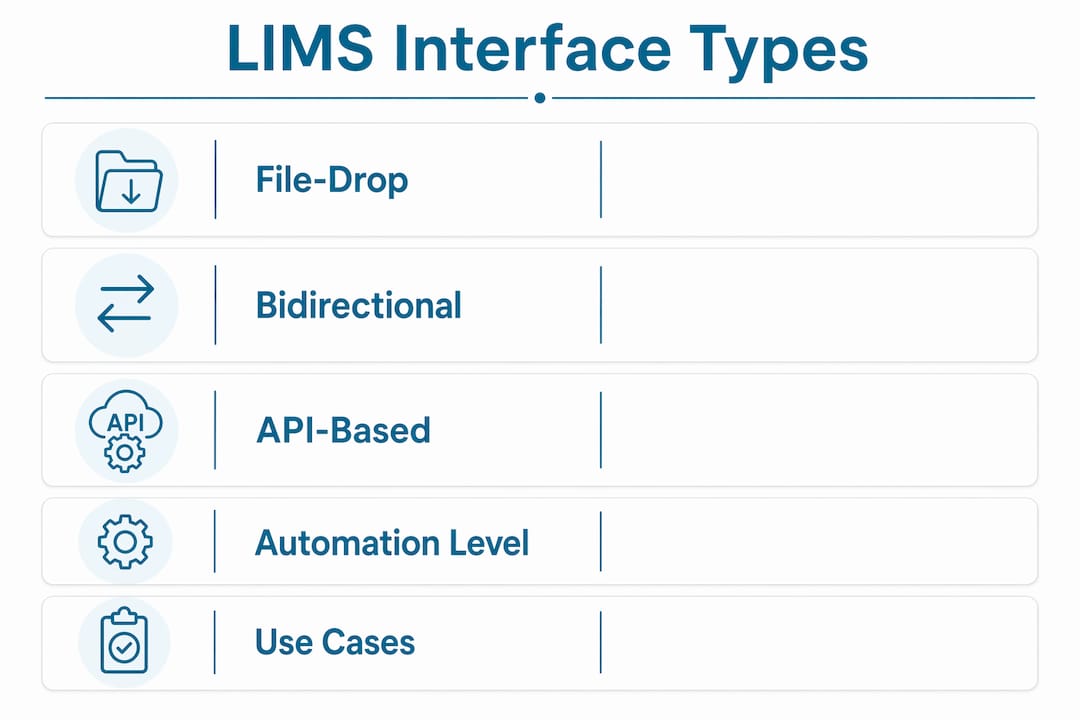
The three interface types differ in direction of data flow, complexity, and the level of automation they provide. Choosing the right one depends on your instrument's output capabilities and how much control you need over order routing.
| Interface Type | Data Direction | Protocol Examples | Automation Level | Typical Use Case |
|---|---|---|---|---|
| File-Drop (Unidirectional) | Instrument → LIMS | CSV, TXT, XLS | Low to medium | Legacy instruments, batch exports |
| Bidirectional | LIMS ↔ Instrument | ASTM/LIS2-A2, HL7 v2.x | High | Clinical analyzers, high-volume labs |
| API-Based | LIMS ↔ Instrument | REST API, SiLA 2 | Very high | Modern instruments, cloud-connected devices |
File-drop (unidirectional) interfaces
File-drop is the simplest form of LIMS instrument connectivity. The instrument exports a result file (CSV, TXT, or XLS) to a shared folder, and the LIMS monitors that folder and imports the file automatically. Setup is fast, and it works with legacy instruments that have no network communication capability. The limitation is one-directional flow: the LIMS cannot send orders or parameters back to the instrument.
Bidirectional interfaces
Bidirectional interfacing enforces a closed data loop, sending orders and parameters to instruments and receiving results automatically. This prevents manual entry errors and ties every output back to the correct sample. It requires middleware and APIs for communication, plus data mapping, testing, and validation before go-live. The added complexity is worth it for high-volume labs where order routing accuracy is non-negotiable.
Api-based integration
API-based connections use REST APIs or SiLA 2 (a modern standard for lab device control) to create real-time, bidirectional communication between instruments and the LIMS. This method supports the most flexible data mapping and works well with modern analyzers that expose their own APIs. It requires the most technical expertise to configure but delivers the highest level of automation and the lowest ongoing maintenance burden when built correctly.
What technical components does LIMS interface configuration require?
Every instrument interface, regardless of type, depends on four core components: a communication protocol, a data adapter, middleware (in bidirectional and API setups), and a validation framework. Getting these right at the start prevents the most common failure modes.
Communication protocols define the language your instrument and LIMS speak to each other:
- ASTM/LIS2-A2: The standard for clinical analyzers. Most hematology, chemistry, and immunoassay instruments support it natively.
- HL7 v2.x: Used for clinical orders and results in healthcare settings. Required when your LIMS connects to an EMR or EHR alongside instruments.
- SiLA 2: A newer standard for direct device control, common in automated liquid handling and next-generation sequencing platforms.
Data adapters translate the instrument's raw output into a format the LIMS can ingest. Modular, configurable adapters are preferred over custom scripts because analysts can adjust mappings, columns, and units themselves without developer involvement. That flexibility matters every time an instrument firmware update changes an output format.
Middleware sits between the instrument and the LIMS in bidirectional and API setups. It handles message routing, queuing, error handling, and logging. Common middleware platforms in lab settings include dedicated integration engines that support HL7 and ASTM parsing out of the box.
Pro Tip: Before writing a single line of configuration, request the instrument's full data dictionary from the manufacturer. This document lists every output field, its format, and its valid value range. Without it, your data mapping will be incomplete.
The integration workflow follows a consistent pattern: the instrument generates data, the adapter captures and translates it, middleware routes it to the correct LIMS module, and the LIMS validates and stores it. Each step needs a documented test case before you move to the next.
How long does LIMS instrument interface implementation take?
Implementing a standard bidirectional instrument interface typically requires 2–4 weeks per instrument. EMR/EHR integrations often take 1–3 months or more. That difference reflects the complexity of bidirectional data mapping versus a simpler file-based connection.
The implementation process breaks into six phases:
- Planning: Define the interface type, protocol, data fields, and acceptance criteria. Identify who owns each decision: lab staff, IT, and the instrument vendor.
- Configuration: Set up the adapter, middleware, and LIMS import rules. Configure the instrument's communication settings to match.
- Data mapping: Map every instrument output field to the correct LIMS field. Define units, rounding rules, and handling for out-of-range flags.
- Testing: Run test data through the full pipeline. Verify that results land in the correct sample records with correct values.
- Validation: Execute formal validation protocols per your lab's quality system. Document pass/fail criteria and retain records for audit.
- Deployment: Go live with monitoring active. Keep the previous manual workflow available for the first week as a fallback.
The biggest schedule risk is version drift. Instrument software updates can break an interface that worked perfectly the day before. Locking export templates and requiring advance notice from vendors before any firmware change is a core operational practice that experienced labs build into their vendor contracts.
Pro Tip: Add a clause to every instrument service agreement requiring the vendor to notify your lab at least 30 days before any software or firmware update that affects data output formats. This single step prevents most unplanned interface failures.
For labs planning multiple instrument connections at once, the LIMS implementation timeline checklist from Labrynix provides a structured planning framework.
What best practices keep LIMS instrument interfaces running reliably?
Reliable instrument interfacing requires ongoing maintenance, not just a successful go-live. The labs that avoid costly downtime treat their interfaces like any other critical system: documented, monitored, and tested on a schedule.
- Lock export templates: Agree with the instrument vendor in writing that output file formats will not change without prior notice. This is your first line of defense against version drift.
- Write a runbook for each interface: Document the connection type, protocol, adapter settings, field mappings, and the steps to restart the interface after a failure. A new technician should be able to restore the connection without calling a developer.
- Use modular adapters: Configurable adapters reduce the need for developers for every change, lowering long-term maintenance costs. Analysts can adjust mappings, columns, and units themselves when adapters are designed properly.
- Set up monitoring dashboards: Configure alerts for failed imports, missing result files, and data validation errors. Catching a broken interface within minutes is far better than discovering it during a result review.
- Schedule quarterly interface tests: Run a full end-to-end test with known values every quarter. This catches silent failures where data is transferring but mapping has drifted.
Pro Tip: Build a simple exception log that captures every import error with a timestamp, instrument ID, and error type. Reviewing this log weekly reveals patterns before they become outages.
Connecting your monitoring data to a LIMS reporting dashboard gives lab managers real-time visibility into interface health alongside workflow metrics.
What are the common challenges in setting up LIMS instrument connections?
The most common failure in LIMS instrument connection projects is underestimating the ongoing maintenance requirement. Labs invest in setup but treat the interface as finished once it goes live. That assumption leads to broken connections, missed results, and compliance gaps.
Version drift is the most frequent technical problem. An instrument firmware update changes the output file format, and the LIMS adapter no longer recognizes the fields. Without a vendor notification agreement, labs often discover this failure only when results stop appearing in the system. The fix is straightforward: locking export templates and requiring advance notice from vendors is the standard recommendation from practitioners with real integration experience.
Data mapping complexity is the second major challenge, particularly for bidirectional interfaces. Instruments often output result codes, flags, and units in formats that do not match the LIMS schema directly. Poorly mapped fields produce results that look correct but carry the wrong units or reference ranges. Thorough data mapping documentation and formal validation testing are the only reliable defenses.
A third challenge is organizational. Bidirectional LIMS interfacing requires IT or third-party expertise during setup, and lab staff often lack the access or authority to coordinate with IT on their own timeline. Labs that assign a dedicated project owner with authority over both lab operations and IT resources consistently complete implementations faster and with fewer rework cycles.
The long-term return on a well-built interface is clear. Automated interfacing accelerates review, strengthens data integrity, and creates the audit trail that regulators require. The labs that invest in proper setup and maintenance spend less time troubleshooting and more time on science.
Key takeaways
Successful LIMS instrument interface setup depends on choosing the right connection method, using modular adapters, and building maintenance practices into the workflow from day one.
| Point | Details |
|---|---|
| Three interface types exist | File-drop, bidirectional, and API-based connections each serve different instrument capabilities and automation needs. |
| Bidirectional is the gold standard | Bidirectional interfacing closes the data loop, preventing manual entry errors and tying results to correct sample IDs. |
| Implementation takes 2–4 weeks | Plan for 2–4 weeks per instrument for bidirectional setup, with formal validation before go-live. |
| Modular adapters reduce maintenance | Configurable adapters let analysts update field mappings without developer involvement, cutting long-term costs. |
| Version drift is the top risk | Lock export templates and require vendor notification before firmware changes to prevent silent interface failures. |
Why bidirectional interfacing is worth the extra work
Most labs I have worked with start with file-drop interfaces because they are fast to configure. That is a reasonable choice for a legacy instrument or a low-volume workflow. The problem comes when labs treat file-drop as a permanent solution for high-throughput analyzers.
The gap between file-drop and bidirectional interfacing is not just technical. It is operational. A bidirectional interface sends the order to the instrument before the run starts. That means the instrument knows the sample ID, the test panel, and the expected parameters before it processes a single tube. When results come back, they map automatically to the correct order. There is no ambiguity, no manual matching, and no opportunity for a transcription error to enter the chain.
I have seen labs spend months investigating a compliance finding that traced back to a manual result entry made during a file-drop interface outage. The root cause was not the outage itself. It was the absence of a bidirectional system that would have prevented the manual workaround entirely.
The interdisciplinary collaboration requirement for bidirectional setup is real. You need lab staff, IT, and the instrument vendor in the same conversation at the same time. That coordination is uncomfortable for labs used to working in silos. But it is also where the best interface designs come from. The labs that skip this step build interfaces that work in testing and fail in production.
My honest recommendation: invest in bidirectional interfacing for every high-volume or compliance-critical instrument in your lab. Use file-drop only where bidirectional is technically impossible. And build your maintenance practices before you go live, not after your first failure.
— Tarek
How Labrynix supports instrument interface setup
Labrynix Connect is built to support the full range of LIMS instrument connectivity types, from simple file-based imports to bidirectional integrations using HL7, FHIR, and REST APIs. The platform includes configurable data adapters designed for molecular diagnostic and genetic testing workflows, so your team can adjust field mappings without waiting on a developer. Labrynix supports industry-standard protocols and is designed to reduce manual entry errors across the sample-to-report workflow. If you are planning an instrument interface project or evaluating your current setup, contact Labrynix to discuss a configuration that fits your lab's instruments and compliance requirements.
FAQ
What is LIMS instrument interface setup?
LIMS instrument interface setup is the process of connecting laboratory instruments to a LIMS so results transfer automatically using protocols like ASTM/LIS2-A2, HL7 v2.x, or REST APIs. It eliminates manual data entry and creates a traceable, auditable data flow from instrument to record.
What are the main LIMS instrument connectivity types?
The three primary types are file-drop (unidirectional), bidirectional, and API-based integration. Each differs in data flow direction, automation level, and the protocols required for configuration.
How long does it take to configure a LIMS instrument interface?
A standard bidirectional instrument interface typically takes 2–4 weeks per instrument to implement, including configuration, data mapping, testing, and validation.
What causes LIMS instrument interfaces to break after setup?
Version drift is the most common cause. Instrument firmware or software updates change output formats, which breaks the adapter's field mapping. Locking export templates and requiring advance vendor notice before updates prevents most failures.
Do you need IT expertise to set up a LIMS instrument interface?
Bidirectional and API-based interfaces require IT or third-party expertise for middleware configuration and data mapping. File-drop interfaces are simpler and can often be configured by a trained lab analyst with vendor documentation.